Meta DAX › Homeschooling › Walkthrough
What you’ll see: a homeschool session, from the folder to the next-time note.
First published 2026-10-10.
This is the whole path, run once on a made-up child so you can see every screen before you try it. The child is eleven, lives for football, and keeps writing 1/2 + 1/3 = 2/5; the pages are wanted in French. What the model built from that is Le Stade des Fractions, the finished example you will see below. Everyone in it is made up. This is one way through; it is never the only way.
-
1 Open your AI chat and give it the homeschool skill — copy the folder in, or paste the one prompt.
What you see: the assistant reads the folder and says it is ready. No account, no setup.
You pasteI’m homeschooling and want to build a session with MetaDAX. Here is the homeschool skill folder — use it.
Your assistantGot it — I’ve read the MetaDAX homeschool skill. I’ll ask you about a dozen short questions, then build you two things: a page for you to run the session, and a page for your child to use with you beside them. Nothing you tell me is stored anywhere. Please keep out real names, your town, the school, and health details. Ready when you are — shall we start?
YouYes.
No skill to install? Paste the plain prompt from the homeschool skill into any chat and it runs the same interview. Or use the guided questionnaire on this site to build your note first and hand that in.
-
2 Answer the interview. About a dozen short questions, in plain words, one at a time.
What you see: it asks what your child is stuck on, a real wrong answer, what they love, and how they learn. You answer as a parent, not a form-filler.
Your assistantHow old is your child, and which subject?
YouEleven. Maths — fractions.
Your assistantWhere exactly does it keep going wrong? The more exact the better.
YouAdding fractions with different bottom numbers. He wrote 1/2 + 1/3 = 2/5.
Your assistantThat one wrong answer tells me a lot — thank you. What does he love? I build every example and game through it.
YouFootball. He knows every player and every score.
Your assistantAnything about how he learns — as something you see, not a label?
YouHates worksheets. Goes quiet after a wrong answer. Twenty minutes and he’s done.
Your assistantLast few: is there something he could teach you — a “lead” moment where he’s a step ahead? And which language for the pages?
YouHe can read a league table better than I can. French, please.
Your assistantThat’s everything I need. Building now: a guide page for you and a game page for him, in French, built through football, aimed straight at the 1/2 + 1/3 slip, in short bursts, with one moment where he leads.
-
3 Read the package it hands back. Two pages: one for you, one for your child.
What you see: a finished learning pack. The first tab is your guide; the second is your child’s game. This is exactly the shape of the finished example — open it alongside.
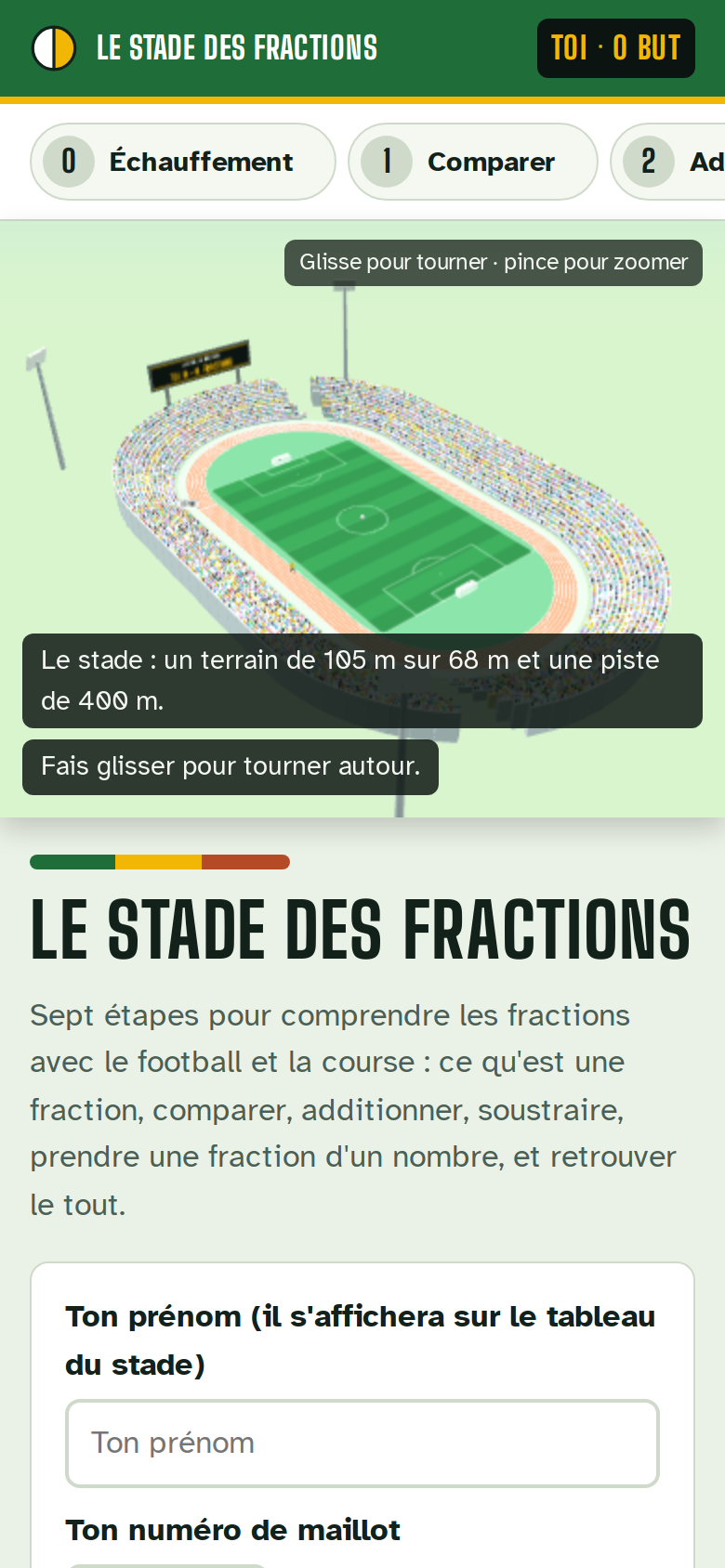 Open this screen: Le Stade des Fractions
 The package: Le Stade des Fractions — six stations on a football pitch and a running track, a scoreboard in “buts”, and a Guide tab with parent notes for each station (the goal, what to ask, what to watch for, an off-screen activity, a rough time). Your assistantHere is your pack. Your side has, for each station: the goal in one line, what to say, what to skip, and the one slip that’s normal here (adding the bottoms). His side is a game with no AI in it — he chooses, then sees; every wrong answer is matched to the exact mistake behind it. Station 2 is built so the rink… sorry, the pitch is cut two ways and lined up, which is the picture that kills 1/2 + 1/3 = 2/5. Station 5 is his lead: he reads the table, you follow.
-
4 Open your child’s side in the player.
What you see: the game page running on its own, full screen, no chat anywhere near it. He chooses first, then sees whether it was right, and why.
 Open this screen: Play a MetaDAX package
 The player at /metadax/play/: the learner’s page on its own — a 3D scene, the question, the choices, and feedback tied to the exact mistake. It gets harder after a streak and easier after a miss, and keeps nothing but a game badge in your own browser. -
5 Print it for a screen-free session.
What you see: the same pack laid out for paper — the stations, the questions, and your guide notes, ready for the printer.
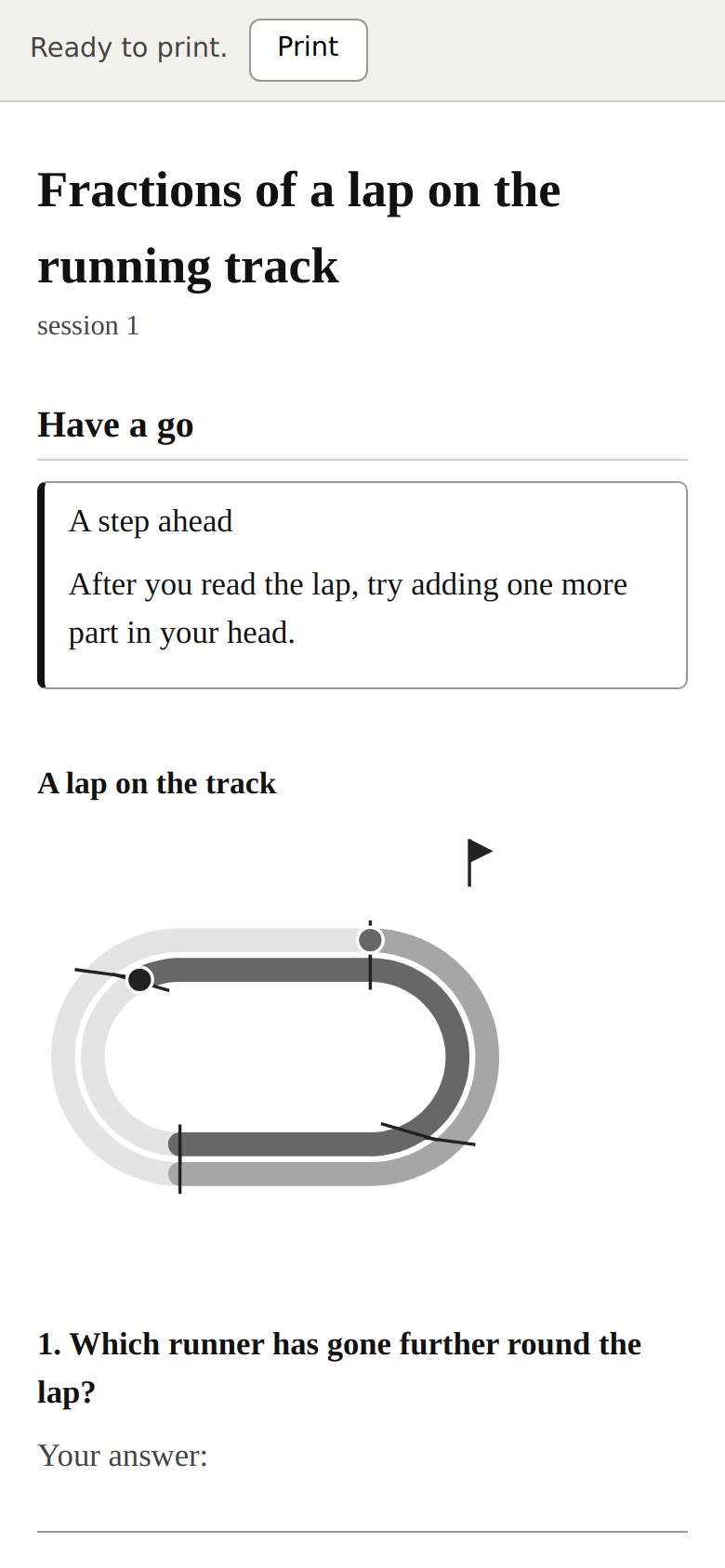 Open this screen: Print a MetaDAX package
 The print page at /metadax/play/print.html: the whole pack on paper, so the twenty minutes can happen at the kitchen table with a pencil instead of a screen. -
6 After the session, write the next-time note. Three or four lines, a nickname only.
What you see: a short note you fill in and keep. Nothing leaves your device unless you copy it.
MetaDAX next-time note Ref: HS-7KQ2 Session: 1 What the learner did: Added fractions with the same bottom number; tried a few with different bottoms. What worked: Cutting the pitch into equal zones — “halves have to be the same size” clicked. Misconceptions seen: Added tops and bottoms (1/2 + 1/3 = 2/5) x3. The trail (what I saw): Lit up at the pitch; went quiet after the first miss, came back when I let him read the table to me. Interests: Football — still landing, keep it. Only I could: Noticed the quiet and backed off; let him lead. Stopped: Finished, but the last two were a stretch — keep it short next time. -
7 Next time, paste the note at the start. Session two comes back shaped by it.
What you see: the assistant opens by recalling what worked, moves exactly one step onto the slip, keeps football, and keeps it short — because your note told it to.
You pasteHere is my MetaDAX next-time note from last session, build the next one. (the note above)
Your assistantPicking up from session one. We’ll open by remembering that equal-sized zones clicked, then take one step: why you can’t just add the bottoms — cut the pitch two ways and line them up, aimed straight at the 1/2 + 1/3 = 2/5 slip. Still football. Shorter and gentler, since the end was a stretch last time. Here is session two…
How long this took
About twenty-five minutes end to end on our run: five to hand over the skill and answer the interview, a couple while it built, and the rest reading the pack and trying his side before the session. The session itself is the twenty minutes you were always going to spend — the preparing is what it took off you.
When it goes wrong
- It asks for a name, or you nearly type one. It shouldn’t, and it won’t keep one. Use a nickname or “my son”. On our run it caught a town name we’d typed and asked us to drop it.
- The pack feels generic. That means the stuck spot was too broad. Go back and give the one real wrong answer (“1/2 + 1/3 = 2/5”), not “fractions”. It is the single most useful line you can give it.
- The game won’t open in the player. Save the file your assistant gave you with a .json name and drop it into the player; if it still won’t, print it instead — the paper version needs nothing.
Run it yourself, free
It runs on the AI subscription you already have. Use the guided questionnaire to build your note, or drop the homeschool skill into your assistant and it knows the whole flow.
Have it done for you
Want it set up and run for you instead? Obsidian Delta, the company, sells that — done-for-you, paid. The Foundation’s work stays free; this is a way to have someone else do the work.
MetaDAX is free. It is built on paid compute. If it helped, a coffee on Ko-fi or a GitHub sponsorship keeps it going.
Back to Homeschooling See the finished example Pick your chair